窗户雨滴效果
3222
1
21
转https://zhuanlan.zhihu.com/p/62393096 黄小明
时光飞逝,岁月如梭~
来~我们开始第二部分,记得还是要保持一颗失恋的心
PS:我是认真的:)
-------------------
先给贴上Part1部分我连的shaderforge
ShaderForge的话虽然说制作时候效果观察很方便,但是复杂的话不太好连,而且不好检查,有时候错了一下子都找不到头,不过如果不能写码的话就只能连线了
其实上一个部分我觉得最重要的是计算水滴+拖尾的位置以及大小的部分,然后就是X,Y值的偏移计算,这两个部分好好看看还是很有意思的,一步步先来画格子,算水滴然后再添加位移。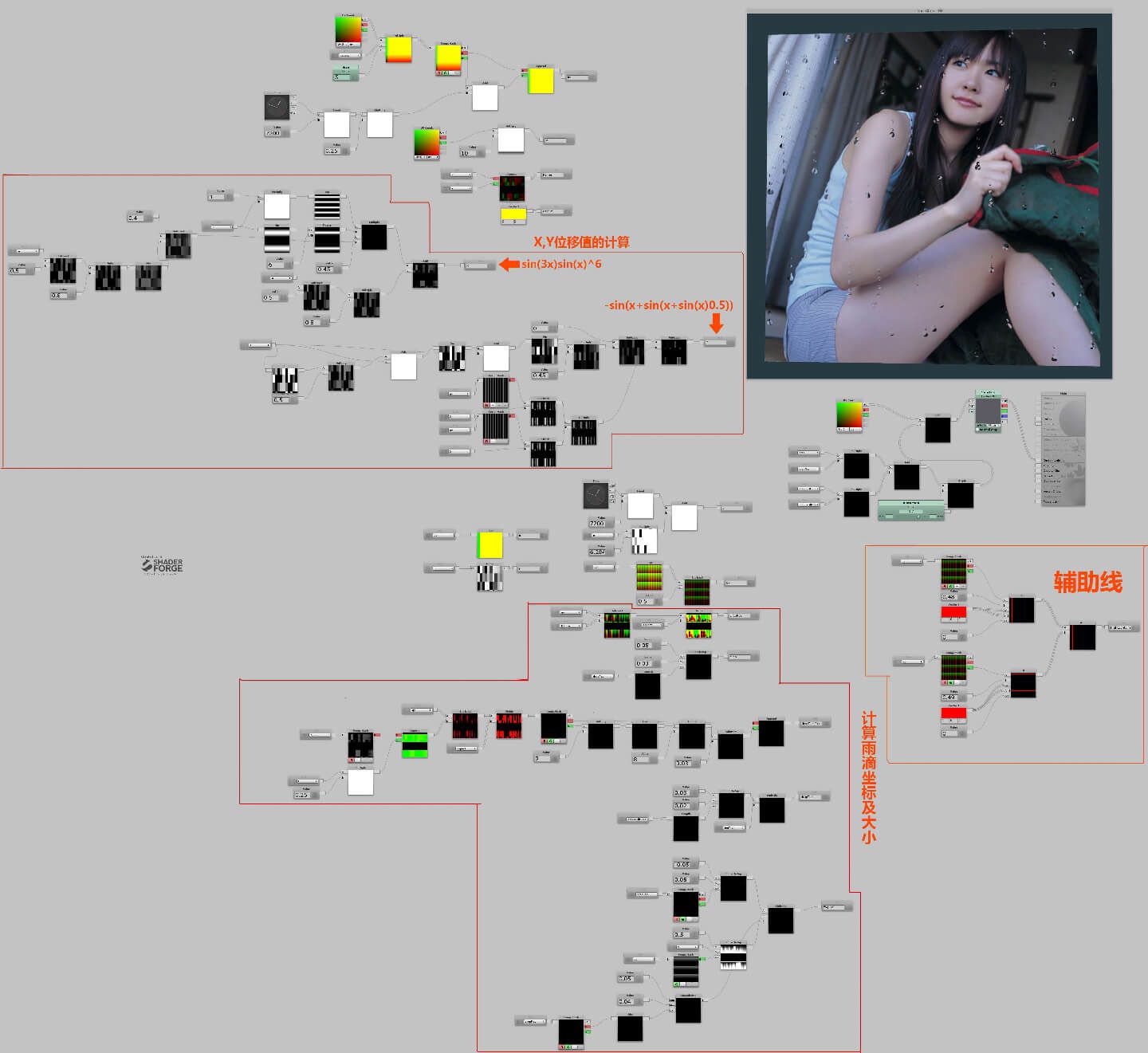
如果看不清,就去链接下载吧,ShaderForge制作的shader和流程图都放里面了
https://pan.baidu.com/s/1AZ1ocqC4CDYQccJt3sXI4g 密码:wm1t
-------------------
先说下这部分做什么,首先我们需要作出模糊,然后一层水滴肯定是不够的,不够丰富,而且也不够随机,所以我们需要添加多层水滴,再然后就是做真实玻璃的透明。
好的我们开始,回到上一部分结尾的代码上
fixed4 frag (v2f i) : SV_Target
{
float t = fmod(_Time.y,7200);
float4 col =0;
float2 aspect = float2(2, 1);
float2 uv = i.uv*_Size*aspect;
uv.y += t * 0.25;
float2 gv = frac(uv)-0.5;
float2 id = floor(uv);
float n =N21(id);
t+= n*6.28631;
float w = i.uv.y *10;
float x = (n-0.5)*0.8;
x += (0.4-abs(x))*sin(3*w)*pow(sin(w),6)*0.45;
float y =-sin(t+sin(t+sin(t)*0.5))*0.45;
y -= (gv.x-x)*(gv.x-x);
float2 dropPos =(gv - float2(x, y))/aspect;
float drop = smoothstep(0.05,0.03,length(dropPos));
float2 dropTrailPos = (gv - float2(x, t*0.25)) / aspect;
dropTrailPos.y = (frac(dropTrailPos.y* 8)/8)-0.03;
float dropTrail = smoothstep(0.03, 0.02, length(dropTrailPos));
float fogTrail = smoothstep(-0.05, 0.05, dropPos.y);
fogTrail *= smoothstep(0.5, y, gv.y);
dropTrail *= fogTrail;
fogTrail *= smoothstep(0.05,0.04,abs(dropPos.x));
col += fogTrail*0.5;
col += dropTrail;
col += drop;
float2 offs = drop*dropPos+dropTrail*dropTrailPos;
col = tex2D(_MainTex,i.uv+offs*_Distortion);
return col;
}
我们先添加模糊效果,我们就不自己计算模糊了,直接用Mipmap然后在shader中使用Tex2Dlod,一定要注意使用的图片有没有打开MipMap,然后就是FilterMode的选择如果选择了Trilinear,point会产生块面模糊(像素风格), Bilinear是逐步模糊(阶梯化渐变),trilinear是会在两个模糊度上平滑过渡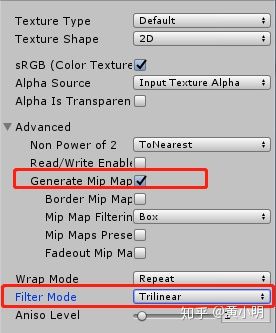
做好以后我们修改下代码,如果没有模糊变化的话,检查下Texture的设置吧
col = tex2Dlod(_MainTex,float4 (i.uv + offs * _Distortion,0,4));
https://docs.microsoft.com/zh-cn ... phics-hlsl-tex2dlod
接下来我们给一个_Blur值来控制模糊程度
float blur = _Blur * 7;
float2 offs = drop * dropPos + dropTrail * dropTrailPos;
col = tex2Dlod(_MainTex,float4 (i.uv + offs * _Distortion,0, blur));
return col;
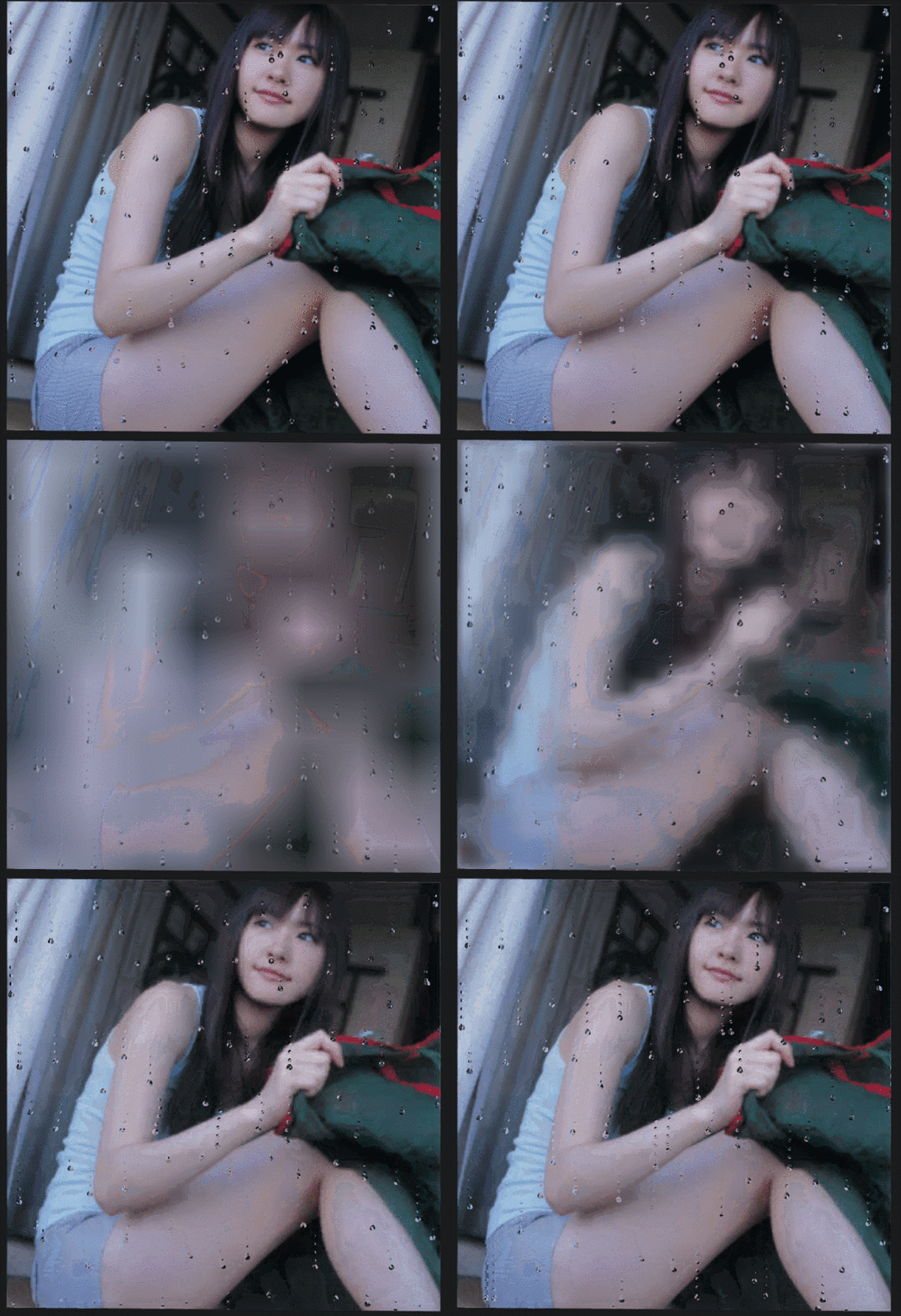
目前的模糊结果
因为正常水滴划过的地方会更加清晰,所以我们来处理下
//fogTrail是水滴的拖尾因为我们需要拖尾处清楚所以我们需要取个反减值
float blur = _Blur * 7 * (1-fogTrail);
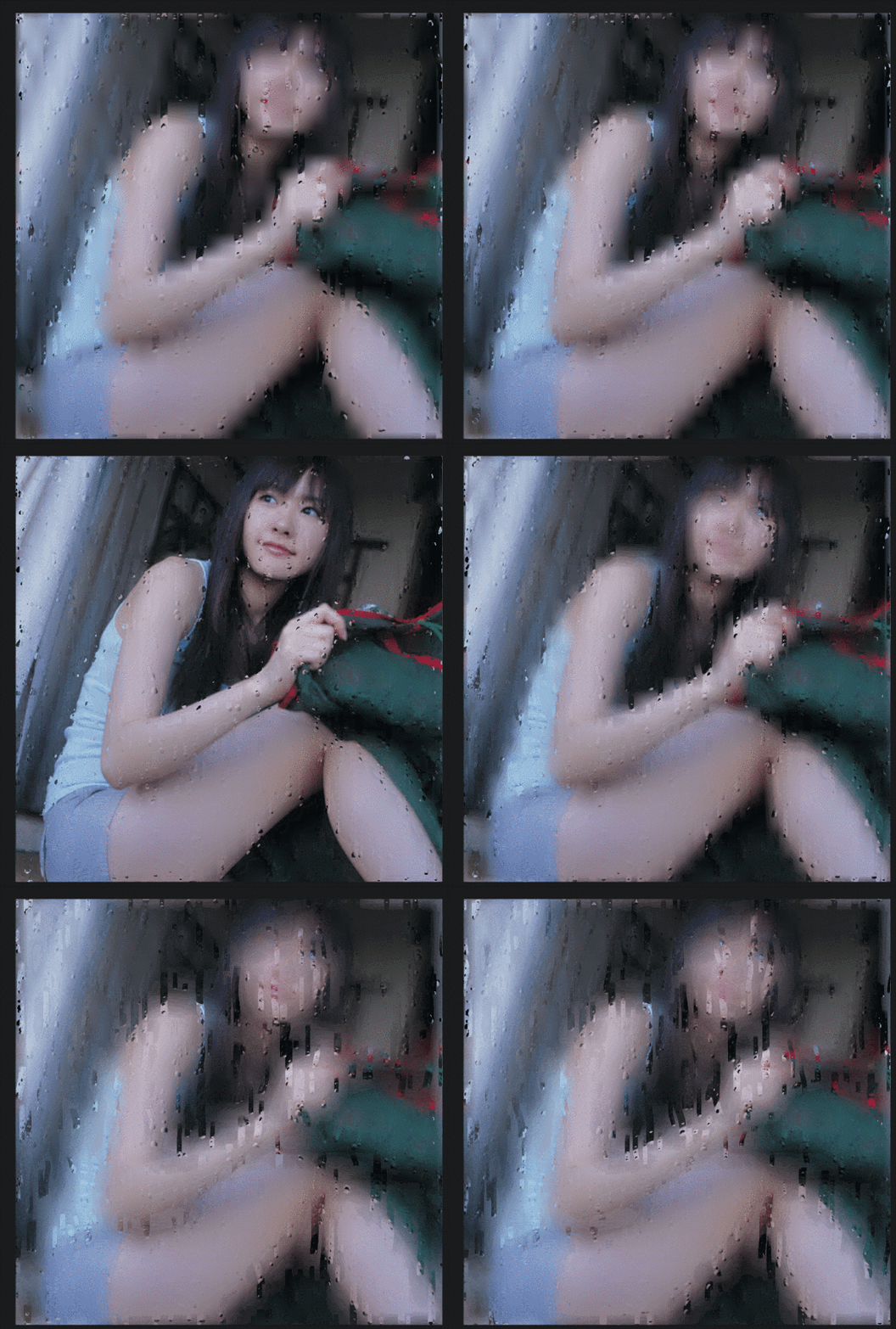
现在得到的模糊效果
现在我们第一个部分模糊已经处理好了,开始制作多层水滴,新建一个Layer struct 输入一个uv值和t值返回我们需要的offs,fogTrail。
注意:i.uv需要换成UV了,还有一些col现在没有了,然后改一下frag里面的参数就行
每一个drops都是一层水滴,只要修改输入的UV值就可以得到大小不一位置不一样的水滴了
float3 Layer(float2 UV,float t){
float2 aspect = float2(2, 1);
float2 uv = UV*_Size*aspect;
uv.y += t * 0.25;
float2 gv = frac(uv) - 0.5;
float2 id = floor(uv);
float n = N21(id);
t += n * 6.28631;
float w = UV.y * 10;
float x = (n - 0.5)*0.8;
x += (0.4 - abs(x))*sin(3 * w)*pow(sin(w),6)*0.45;
float y = -sin(t + sin(t + sin(t)*0.5))*0.45;
y -= (gv.x - x)*(gv.x - x);
float2 dropPos = (gv - float2(x, y)) / aspect;
float drop = smoothstep(0.05,0.03,length(dropPos));
float2 dropTrailPos = (gv - float2(x, t*0.25)) / aspect;
dropTrailPos.y = (frac(dropTrailPos.y * 8) / 8) - 0.03;
float dropTrail = smoothstep(0.03, 0.02, length(dropTrailPos));
float fogTrail = smoothstep(-0.05, 0.05, dropPos.y);
fogTrail *= smoothstep(0.5, y, gv.y);
dropTrail *= fogTrail;
fogTrail *= smoothstep(0.05,0.04,abs(dropPos.x));
// col += fogTrail * 0.5;
// col += dropTrail;
// col += drop;
float2 offs = drop * dropPos + dropTrail * dropTrailPos;
return float3(offs,fogTrail);
}
fixed4 frag(v2f i) : SV_Target
{
float t = fmod(_Time.y,7200);
float4 col = 0;
//水滴层
float3 drops = Layer(i.uv,t);
//*是放大UV向量+,—是位移UV向量,瞎j8乘
drops += Layer(i.uv*1.35+7.51,t);
drops += Layer(i.uv*0.95+1.54,t);
drops += Layer(i.uv*1.57-6.54,t);
//fogTrail是水滴的拖尾因为我们需要拖尾处清楚所以我们需要取个反减值
float blur = _Blur * 7 * (1-drops.z);
col = tex2Dlod(_MainTex,float4 (i.uv +drops.xy* _Distortion,0, blur));
return col;
}
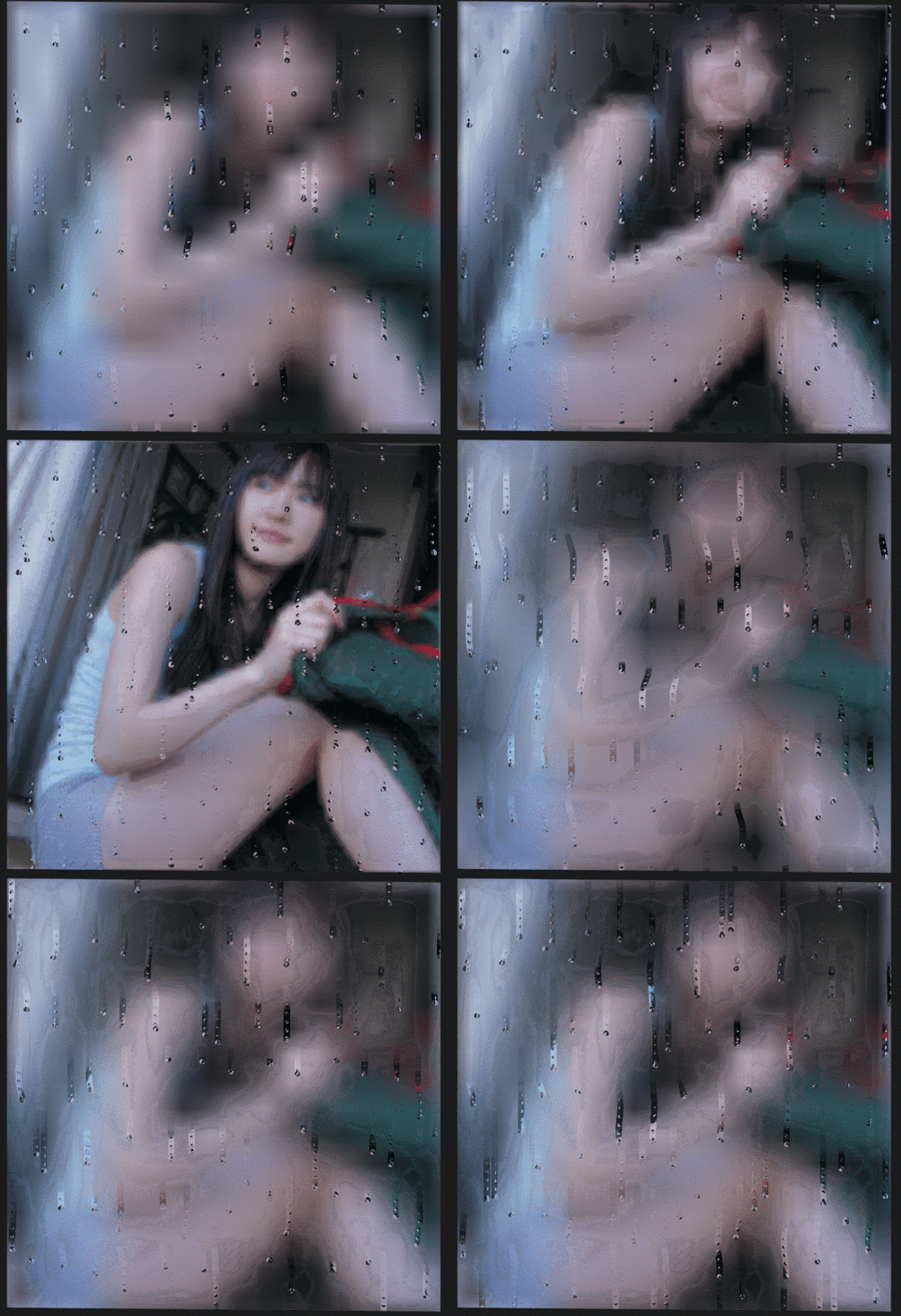
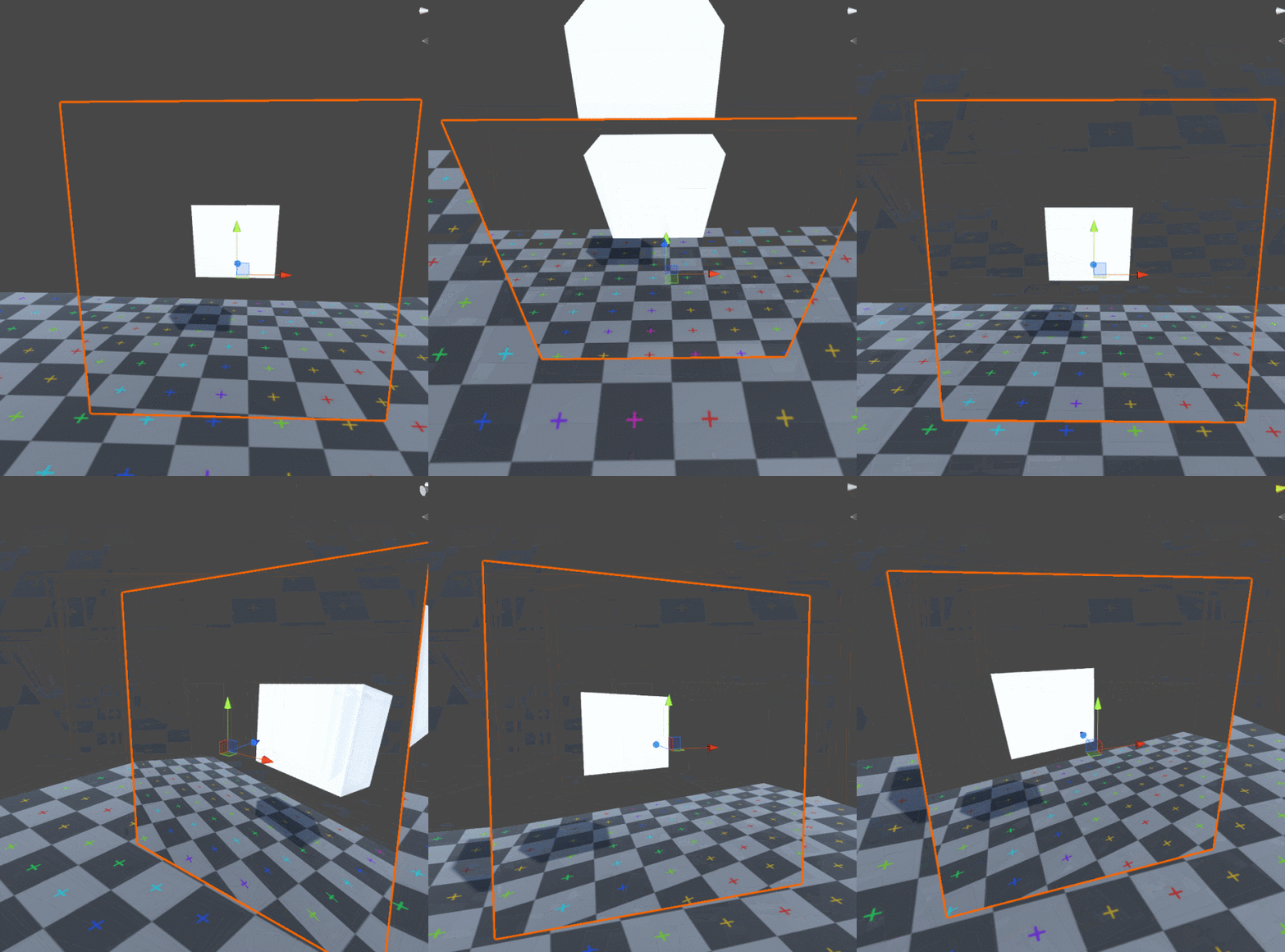
现在我们做第三部分,透明这里用GrapPass,其实用GrapPass很耗性能,不过反正这也不是一个低性能的shader
不BB开始,添加一个GrapPass,输入col看一下,然后需要设置Queue到Transparent,在Transparent这个渲染序列下才能在所有Geometry和AlphaTest渲染后,再从后向前渲染一遍
Shader "Billy/RainGlass_OP"
{
Properties
{
_MainTex("Texture", 2D) = "white" {}
_Size("Size",Float) = 1
_Distortion("Distortion",range(0,1)) = 1
_Blur("Blur",range(0,1)) = 1
}
SubShader
{
Tags { "RenderType" = "Opaque" "Queue"="Transparent"}
GrabPass{"_GrabTexture"}
Pass
{
CGPROGRAM
#pragma vertex vert
#pragma fragment frag
#include "UnityCG.cginc"
struct appdata
{
float4 vertex : POSITION;
float2 uv : TEXCOORD0;
};
struct v2f
{
float2 uv : TEXCOORD0;
float4 vertex : SV_POSITION;
};
sampler2D _MainTex;
sampler2D _GrabTexture;
float4 _MainTex_ST;
float _Size;
float _Distortion;
float _Blur;
v2f vert(appdata v)
{
v2f o;
o.vertex = UnityObjectToClipPos(v.vertex);
o.uv = TRANSFORM_TEX(v.uv, _MainTex);
return o;
}
float N21(float2 p) {
p = frac(p*float2(123.34,345.45));
p += dot(p,p + 34.345);
return frac(p.x*p.y);
}
float3 Layer(float2 UV,float t){
float2 aspect = float2(2, 1);
float2 uv = UV*_Size*aspect;
uv.y += t * 0.25;
float2 gv = frac(uv) - 0.5;
float2 id = floor(uv);
float n = N21(id);
t += n * 6.28631;
float w = UV.y * 10;
float x = (n - 0.5)*0.8;
x += (0.4 - abs(x))*sin(3 * w)*pow(sin(w),6)*0.45;
float y = -sin(t + sin(t + sin(t)*0.5))*0.45;
y -= (gv.x - x)*(gv.x - x);
float2 dropPos = (gv - float2(x, y)) / aspect;
float drop = smoothstep(0.05,0.03,length(dropPos));
float2 dropTrailPos = (gv - float2(x, t*0.25)) / aspect;
dropTrailPos.y = (frac(dropTrailPos.y * 8) / 8) - 0.03;
float dropTrail = smoothstep(0.03, 0.02, length(dropTrailPos));
float fogTrail = smoothstep(-0.05, 0.05, dropPos.y);
fogTrail *= smoothstep(0.5, y, gv.y);
dropTrail *= fogTrail;
fogTrail *= smoothstep(0.05,0.04,abs(dropPos.x));
// col += fogTrail * 0.5;
// col += dropTrail;
// col += drop;
float2 offs = drop * dropPos + dropTrail * dropTrailPos;
return float3(offs,fogTrail);
}
fixed4 frag(v2f i) : SV_Target
{
float t = fmod(_Time.y,7200);
float4 col = 0;
//水滴层
float3 drops = Layer(i.uv,t);
//*是放大UV向量+,—是位移UV向量,瞎j8乘
drops += Layer(i.uv*1.35+7.51,t);
drops += Layer(i.uv*0.95+1.54,t);
drops += Layer(i.uv*1.57-6.54,t);
//fogTrail是水滴的拖尾因为我们需要拖尾处清楚所以我们需要取个反减值
float blur = _Blur * 7 * (1-drops.z);
col = tex2Dlod(_MainTex,float4 (i.uv +drops.xy* _Distortion,0, blur));
col = tex2D(_GrabTexture,i.uv);
return col;
}
ENDCG
}
}
}
接下来我们就对齐GrapPassTex到屏幕坐标就好了,很开心UNity有这个宏UNITY_PROJ_COORD(ComputeGrabScreenPos(o.vertex)
https://www.jianshu.com/p/df878a386bec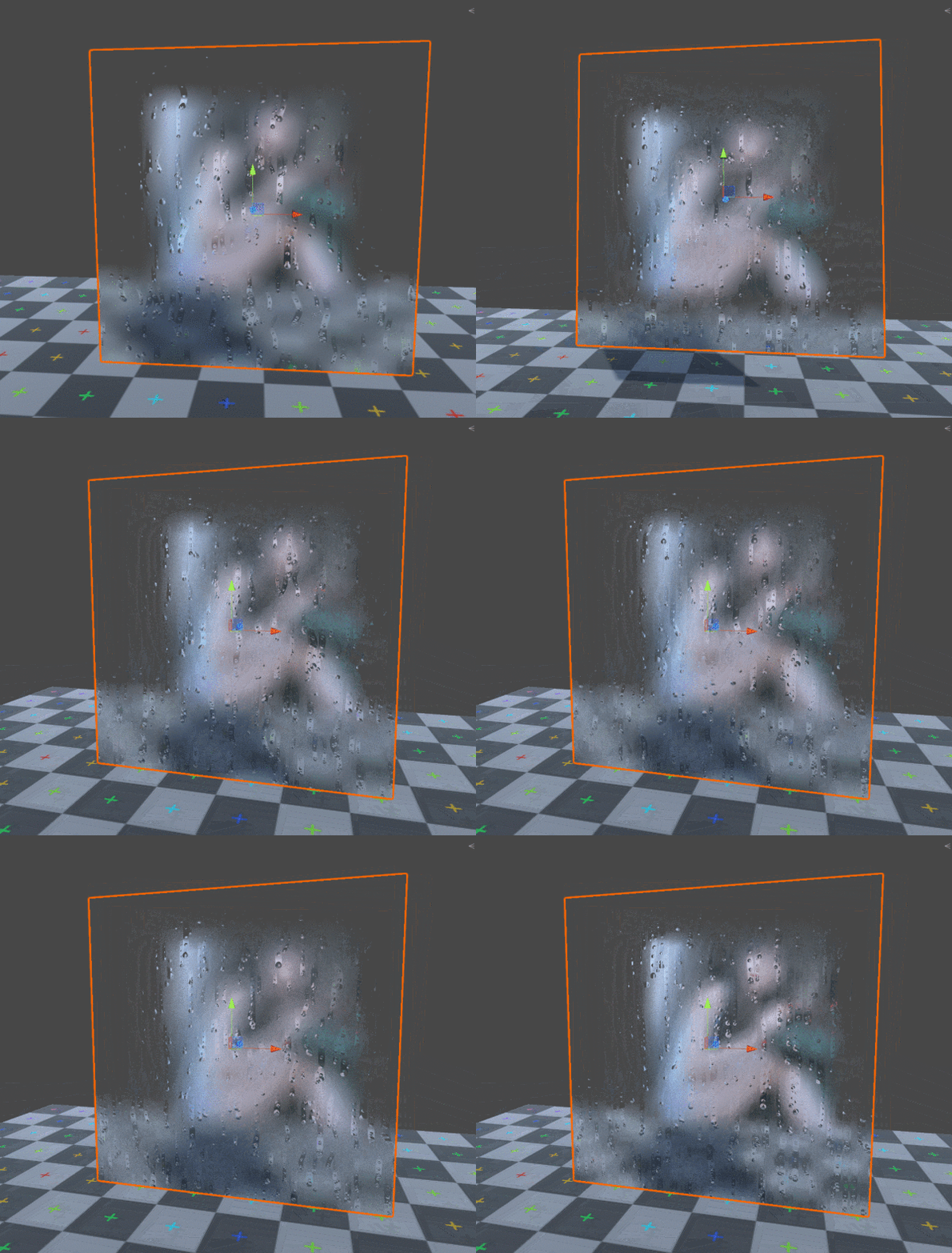
先贴上最后代码,立个Flag过两天再接着写
Shader "Billy/RainGlass"
{
Properties
{
_MainTex("Texture", 2D) = "white" {}
_Size("Size",Float) = 1
_Distortion("Distortion",range(0,5)) = 4
_Blur("Blur",range(0,1)) = 1
}
SubShader
{
Tags { "RenderType" = "Opaque" "Queue"="Transparent"}
GrabPass{"_GrabTexture"}
Pass
{
CGPROGRAM
#pragma vertex vert
#pragma fragment frag
#include "UnityCG.cginc"
struct appdata
{
float4 vertex : POSITION;
float2 uv : TEXCOORD0;
};
struct v2f
{
float2 uv : TEXCOORD0;
float4 vertex : SV_POSITION;
float4 grabUv : TEXCOORD1;
};
sampler2D _MainTex;
sampler2D _GrabTexture;
float4 _MainTex_ST;
float _Size;
float _Distortion;
float _Blur;
v2f vert(appdata v)
{
v2f o;
o.vertex = UnityObjectToClipPos(v.vertex);
o.uv = TRANSFORM_TEX(v.uv, _MainTex);
o.grabUv = UNITY_PROJ_COORD(ComputeGrabScreenPos(o.vertex));
return o;
}
float N21(float2 p) {
p = frac(p*float2(123.34,345.45));
p += dot(p,p + 34.345);
return frac(p.x*p.y);
}
float3 Layer(float2 UV,float t){
float2 aspect = float2(2, 1);
float2 uv = UV*_Size*aspect;
uv.y += t * 0.25;
float2 gv = frac(uv) - 0.5;
float2 id = floor(uv);
float n = N21(id);
t += n * 6.28631;
float w = UV.y * 10;
float x = (n - 0.5)*0.8;
x += (0.4 - abs(x))*sin(3 * w)*pow(sin(w),6)*0.45;
float y = -sin(t + sin(t + sin(t)*0.5))*0.45;
y -= (gv.x - x)*(gv.x - x);
float2 dropPos = (gv - float2(x, y)) / aspect;
float drop = smoothstep(0.05,0.03,length(dropPos));
float2 dropTrailPos = (gv - float2(x, t*0.25)) / aspect;
dropTrailPos.y = (frac(dropTrailPos.y * 8) / 8) - 0.03;
float dropTrail = smoothstep(0.03, 0.02, length(dropTrailPos));
float fogTrail = smoothstep(-0.05, 0.05, dropPos.y);
fogTrail *= smoothstep(0.5, y, gv.y);
dropTrail *= fogTrail;
fogTrail *= smoothstep(0.05,0.04,abs(dropPos.x));
// col += fogTrail * 0.5;
// col += dropTrail;
// col += drop;
float2 offs = drop * dropPos + dropTrail * dropTrailPos;
return float3(offs,fogTrail);
}
fixed4 frag(v2f i) : SV_Target
{
float t = fmod(_Time.y,7200);
float4 col = 0;
//水滴层
float3 drops = Layer(i.uv,t);
//*是放大UV向量+,—是位移UV向量,瞎j8乘
drops += Layer(i.uv*1.35+7.51,t);
drops += Layer(i.uv*0.95+1.54,t);
drops += Layer(i.uv*1.57-6.54,t);
//fogTrail是水滴的拖尾因为我们需要拖尾处清楚所以我们需要取个反减值
float fade = 1-saturate(fwidth(i.uv)*60);
float blur = _Blur * 7 * (1-drops.z*fade);
// col = tex2Dlod(_MainTex,float4(i.uv+drops.xy*_Distortion,0,blur));
float2 projUv = i.grabUv.xy / i.grabUv.w;
projUv += drops.xy*_Distortion*fade;
blur *= 0.01;
const float numSamples =32;
float a = N21(i.uv)*6.2831;
for(float i=0; i
float2 offs = float2(sin(a),cos(a))*blur;
float d = frac(sin((i+1)*546)*5421);
d = sqrt(d);
offs *=d;
col += tex2D(_GrabTexture,projUv+offs);
a++;
}
col /= numSamples;
return col;
}
ENDCG
}
}
}
